Botly
- v1.0.6
- 6
- 2,553
Botly is a Filament plugin to manage your site's robots.txt file directly from a Filament admin panel.
-
filament
-
filament-plugin

Package health
Automated checks of this package
Compatibility
| Version | Filament | PHP | Laravel | Latest | Docs |
|---|---|---|---|---|---|
| 1.x (Current) | ^4.0|^5.0 | ^8.2 | ^11.28|^12.0|^13.0 * | v1.0.6 | 1.x docs |
* Taken from the Filament versions this release supports, using the newest release of each.
Botly is a Filament plugin for managing your site's robots.txt file from your admin panel. Rules, sitemaps and AI crawler blocks are stored in the database and served dynamically, so you do not need to keep a static file in your repository or redeploy to change what crawlers are told.
It is for sites where the people who decide crawler policy are not the people who deploy the code — a marketing team that needs to block a bot today, or a site where robots.txt changes often enough that editing a file in version control is friction.
How it works
Botly registers a Robots Manager page in your panel and a route that answers /robots.txt.
When a crawler requests /robots.txt, Botly reads the current configuration from the database, merges in any persistent rules you have defined in code, and formats the result as valid robots.txt output on the fly. Nothing is written to disk unless you ask for it.
The output is assembled in a fixed order:
- Rules, grouped by user agent — persistent rules first, then the rules stored in the database.
- Blocked AI crawlers, each as a
User-agentline followed byDisallow: /. - Sitemap URLs, as
Sitemap:lines.
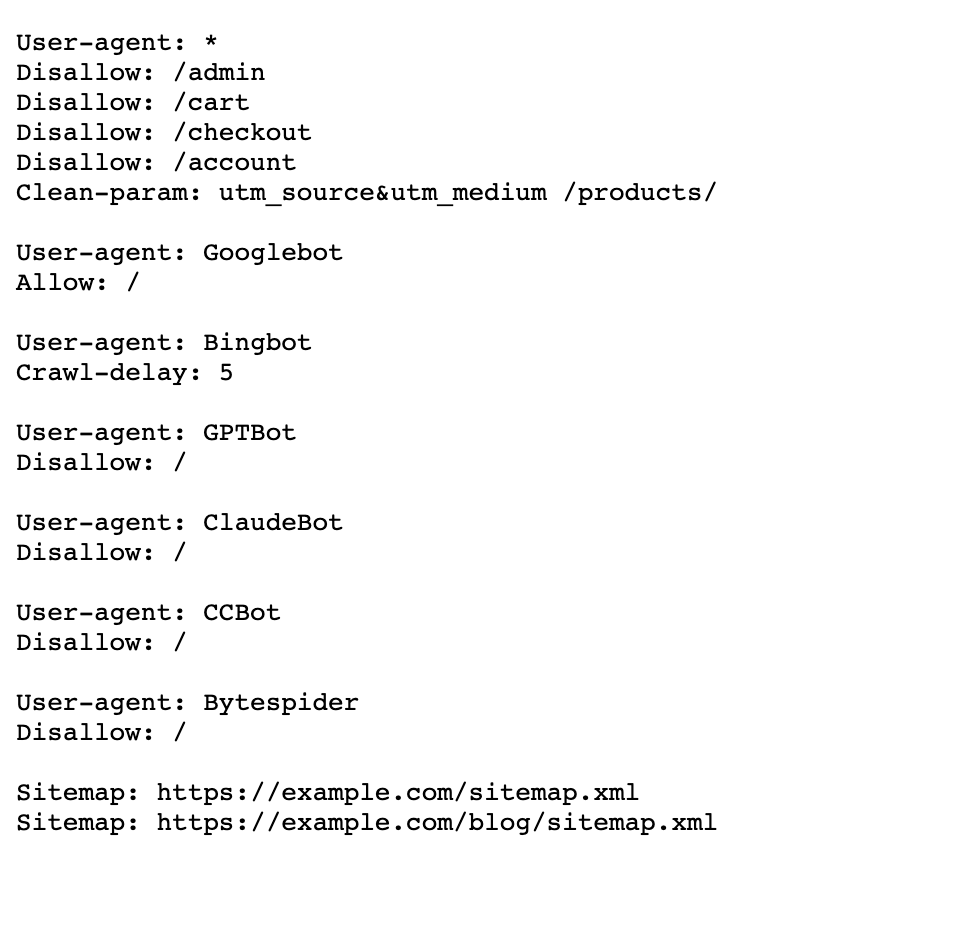
If you would rather serve a static file, the admin page has an Export Robots.txt action that writes the current output to public/robots.txt.
Important
A static public/robots.txt file takes precedence over Botly's route, because the web server serves it before the request ever reaches Laravel. If one exists, Botly shows a warning on the admin page with actions to delete or rename it.
Where to go next
- Installation — install the package, run the migration and register the plugin.
- Usage — manage rules, sitemaps and AI crawler blocks from the admin page.
- Configuration — set defaults, define rules that cannot be edited, and customize the page.